
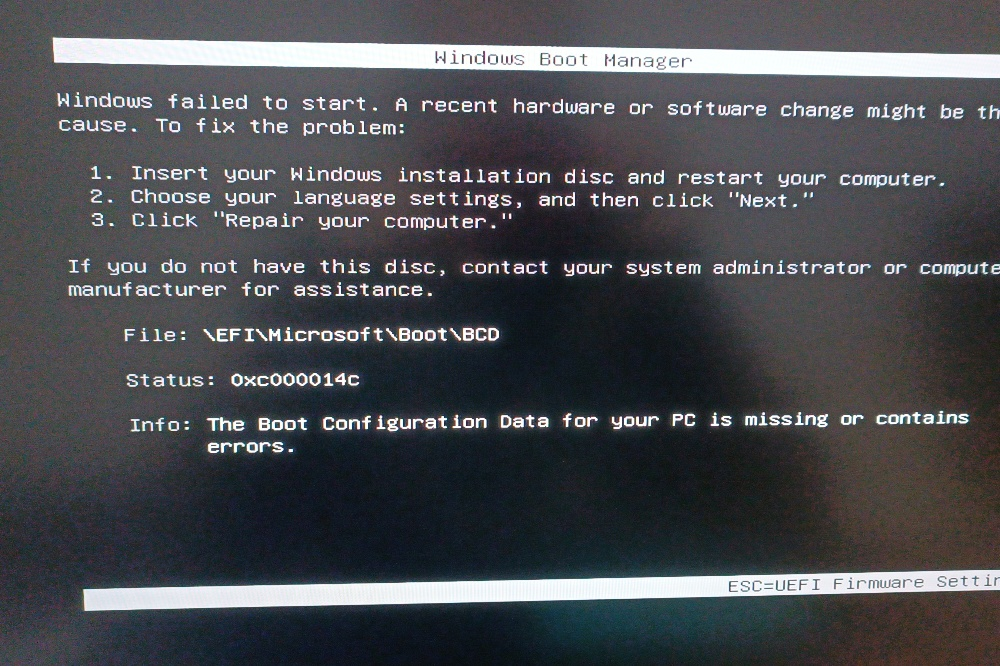
Today, I tried to install Windows 11 on my new PC and faced the 0xc000014c error. This error usually happens because the ISO file is corrupted. In my case, it happened because I pulled out the flash drive right after Linux said the copy was successful. Big mistake! The system was still copying data from RAM to the disk in the background, so you must wait for this process to finish. In this post, I have collected some useful commands to monitor this.
Check sha256sum
$ sha256sum Win11_25H2_EnglishInternational_x64.iso
baaeb6c90dd51648154b64c40c9e0c14d93a427f611a1bb49c8077fa2ff73364  Win11_25H2_EnglishInternational_x64.iso
Copy files
$ sudo rsync -ah --progress "/store/archive/2026/Iso/Kubuntu/kubuntu-25.10-desktop-amd64.iso" ./
sending incremental file list
kubuntu-25.10-desktop-amd64.iso
          4.94G 100%  112.78MB/s    0:00:41 (xfr#1, to-chk=0/1)
Once the system says the copy is done, you still need to wait for the data to move from the RAM to the flash drive. The best way to do this is to run the sync command and wait until the CLI is released.
$ syncCommand to check “Dirty” memory, it’s the memory that containы the buffer that need to be writen to the disk
$ grep -e Dirty: -e Writeback: /proc/meminfo
Dirty:            455784 kB
Writeback:         59280 kB
or the same but via watch
$ watch -n 1 grep -e Dirty: -e Writeback: /proc/meminfo

