

Today I have installed Antigravity IDE 2.0 and I faced next annoying notification on each start:
The following extensions want to relaunch the terminal to contribute to its environment: Git: Enables the following features: git auth provider
Here is how the problem looks like in VSCode…
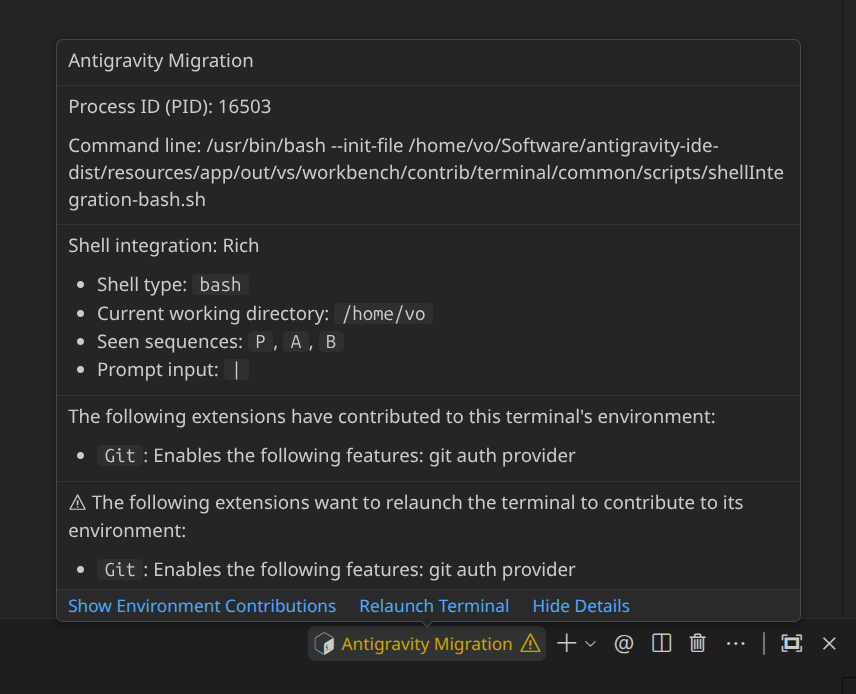
The Problem: Persistent Sessions
By default, modern IDEs based on VS Code use a feature called Persistent Sessions. This means when you close your code editor or if it crashes, the IDE doesn’t actually kill your terminal processes. Instead, it saves their state, command history, and environment. When you open the IDE again, it tries to “revive” those exact old terminal windows.
However, this often causes bugs. Extensions like Git try to inject new environment variables into a fresh session, but they crash into your restored, old terminal. This creates an endless loop of annoying warning messages.
The Solution: Start with a Clean Slate
The easiest way to fix this conflict is to tell your IDE to stop saving old terminal sessions and just start fresh every time. You can do this by adding one simple line to your settings.json file:
"terminal.integrated.enablePersistentSessions": falseWhat Changes Now?
When you set this option to false, your IDE will completely delete old terminal sessions when you close it. Every time you open the editor, a brand new, clean Bash or Zsh process is created. Extensions can now load their settings without any bugs or popups.
The only small downside is that if you leave a long script running and close your IDE, it won’t resume automatically next time. But for daily development, a clean and quiet terminal is absolutely worth it!


