

If you are using the new ComfyUI Desktop (v0.7.0+) along with the Krita AI Diffusion plugin, you might encounter a cryptic execution failure after the latest upgrade. The generation starts, but as soon as the progress bar should appear, the job crashes with a nasty [Errno 22] Invalid argument error.
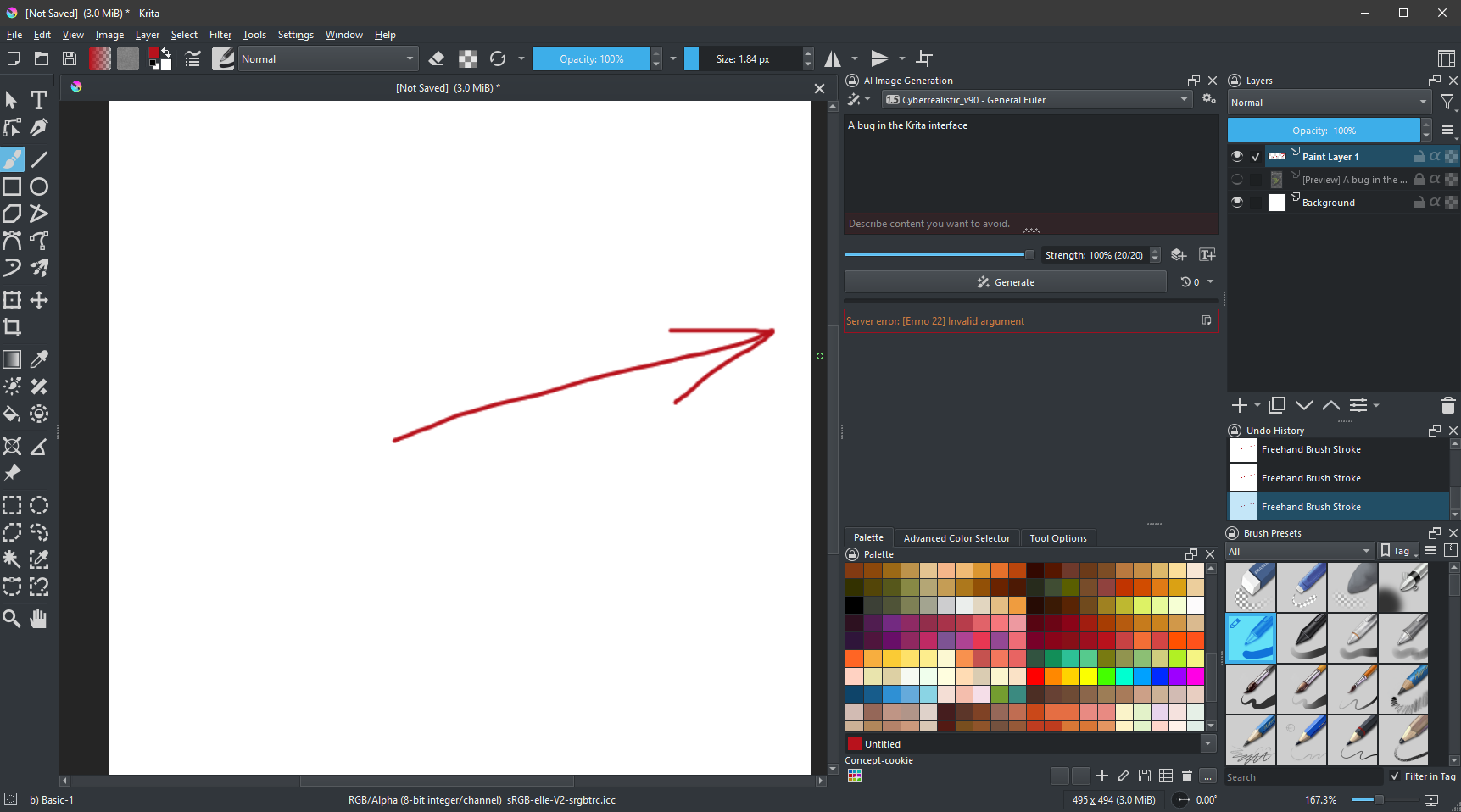
The culprit is often a legacy or standalone version of ComfyUI-Manager installed in your virtual environment that conflicts with the Desktop’s internal logging system.
You can find the detailed traceback and the exact cause of the failure in the latest client logs here: %APPDATA%\krita\ai_diffusion\logs\client.log
(Just copy and paste the path above into your Windows File Explorer address bar).
It will look like
|
1 2 3 4 5 6 7 |
2026-01-07 19:05:48,685 ERROR Job Job[id=97721b55-b0e6-434f-ba2c-d61506f1a997] failed: [Errno 22] Invalid argument [' File "C:\\AI\\ComfyUI\\resources\\ComfyUI\\execution.py", line 516, in execute\n output_data, output_ui, has_subgraph, has_pending_tasks = await get_output_data(prompt_id, unique_id, obj, input_data_all, execution_block_cb=execution_block_cb, pre_execute_cb=pre_execute_cb, v3_data=v3_data)\n ... ' File "C:\\AI\\ComfyUI\\.venv\\Lib\\site-packages\\tqdm\\auto.py", line 37, in trange\n return tqdm(range(*args), **kwargs)\n ^^^^^^^^^^^^^^^^^^^^^^^^^^^^\n', ' File "C:\\AI\\ComfyUI\\.venv\\Lib\\site-packages\\tqdm\\asyncio.py", line 24, in __init__\n super().__init__(iterable, *args, **kwargs)\n', ' File "C:\\AI\\ComfyUI\\.venv\\Lib\\site-packages\\tqdm\\std.py", line 1096, in __init__\n self.sp = self.status_printer(self.fp)\n ^^^^^^^^^^^^^^^^^^^^^^^^^^^^\n', ' File "C:\\AI\\ComfyUI\\.venv\\Lib\\site-packages\\tqdm\\std.py", line 448, in status_printer\n getattr(sys.stderr, \'flush\', lambda: None)()\n', ' File "C:\\AI\\ComfyUI\\.venv\\Lib\\site-packages\\comfyui_manager\\prestartup_script.py", line 346, in flush\n original_stderr.flush()\n', ' File "C:\\AI\\ComfyUI\\resources\\ComfyUI\\app\\logger.py", line 35, in flush\n super().flush()\n'] |
The Root Cause: Standard Error Hijacking
The error occurs because some versions of ComfyUI-Manager attempt to intercept sys.stderr to provide custom logging. When tqdm (the progress bar library) tries to call .flush() on the stream, it passes through a “broken pipe” created by the manager’s prestartup script. In Windows environment, this manifests as OSError: [Errno 22].
The Solution: Purging the Conflicting Package
Simply deleting folders often isn’t enough because Windows might lock the files, leading to a “partial” uninstall where the code still attempts to run.
1. Exit ComfyUI and Krita and kill the zombie processes if any
Before attempting any fix, you must ensure no background Python instances are holding the files hostage.
- Close ComfyUI and Krita.
- Open Task Manager (
Ctrl + Shift + Esc). - Go to the Details tab.
- Find all instances of
python.exe, right-click them, and select End Task.
2. Uninstall via Pip
Navigate to your ComfyUI Data environment (usually located in ComfyUI\.venv\Scripts) and run:
|
1 2 3 4 |
$ activate > pip uninstall comfyui-manager |
Confirm with Y.
3. Verify the Ghost is Gone (Crucial Step)
Pip might report a successful uninstallation even if it failed to remove files due to locks. You must verify it:
|
1 2 3 |
> pip show comfyui-manager |
- If it shows package details: The uninstall failed. Return to Step 1, kill all processes, and manually delete the
comfyui_managerfolder from\.venv\Lib\site-packages\. - If it shows “Package(s) not found”: You are in the clear.
4. Clean up Custom Nodes
Check your resources\ComfyUI\custom_nodes\ directory. If you have a ComfyUI-Manager folder there, remove it. The modern Desktop version has its own internal manager management logic and having the old custom node version can re-trigger the logging conflict.
Results
Once the standalone package is fully purged, restart your ComfyUI Desktop. Your logs should no longer show the [PRE] ComfyUI-Manager header. Generation in Krita should now proceed smoothly, with the progress bar correctly reporting to the console without crashing the execution thread.


