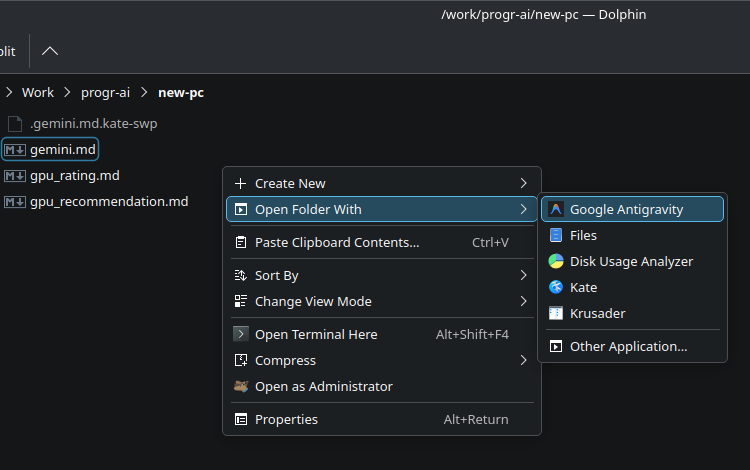
I use Antigravity for many different tasks. It is not just for software development. I also use it to organize information for other things, like building a new PC or learning a new language.
Because of this, I have many project folders. It would be great to open a folder directly from Dolphin using the context menu. Sadly, I did not find this option in my menu.
Luckily, it is very easy to fix. We just need to do this
Create new “application” file in
$ nano ~/.local/share/applications/google-antigravity.desktopWith the next configuration
[Desktop Entry]
Name=Google Antigravity
Comment=Cloud IDE
GenericName=Text Editor
Exec=/usr/share/antigravity/antigravity %F
Icon=antigravity
Type=Application
StartupNotify=true
StartupWMClass=antigravity
Categories=Development;IDE;
MimeType=inode/directory;
Now update desktop database
$ update-desktop-database ~/.local/share/applications/And that’s all, go to any folder, click right click inside and select “Open folder with > Antigravity”